Author name: admin

Uncategorized

How to Use Functions in TypeScript

Master TypeScript functions, parameter type annotations, and explicit return types. This tutorial demonstrates how to extract object properties, log structured data, and create reusable function signatures for safer, cleaner code.

Key Topics Covered:
00:00 – Defining Student Objects (Name, Age, Active Status)
00:28 – Accessing & Logging Object Properties
00:45 – Compiling & Running TypeScript Object Files
01:03 – Filtering Output: Extracting Property Values
01:38 – Introduction to Functions & Code Reusability
01:49 – Defining Function Parameters & Return Types
02:17 – Core Concepts: Tasks, Inputs (Parameters), and Outputs (Returns)
02:30 – Setting up Function Files in VS Code (04-functions.ts)

Resources & Source Code:
💻 Official GitHub Repositories: https://github.com/Haile1221/Typescript-Tutorial
📘 Official TypeScript Function Docs: https://www.typescriptlang.org/docs/handbook/2/functions.html
🌐 Official Web Platform: https://h-digitalbusiness.com/
💬 Telegram Community: https://t.me/beshilocodingacademy
🔴 Channel Page: https://www.youtube.com/@beshilocodingacademy

#TypeScript #WebDevelopment #CodingTutorial #TypeScriptFunctions #LearnToCode #SoftwareEngineering #BeshiloCodingAcademy #JavaScript #CleanCode

Uncategorized

TypeScript Objects & Property Types Tutorial – Beginner Guide

Learn how to define and structure objects in TypeScript. This tutorial covers key-value pairs, object type annotations (strings, numbers, booleans), accessing properties, and the key differences between JavaScript and TypeScript objects.

Key Topics Covered:
00:00 – Intro & Array Index Review
00:15 – Compiling & Running TypeScript Code
00:50 – Introduction to Objects in TypeScript
01:02 – Object Fundamentals: Key-Value Pairs
01:25 – JavaScript vs. TypeScript Object Definitions
02:06 – Setting up an Object File in VS Code
02:15 – Defining an Object with Types (String, Number, Boolean)

Resources & Source Code:
💻 Official GitHub Repositories: https://github.com/Haile1221
📘 Official TypeScript Object Type Docs: https://www.typescriptlang.org/docs/handbook/2/objects.html
🌐 Official Web Platform: https://h-digitalbusiness.com/
💬 Telegram Community: https://t.me/beshilocodingacademy
🔴 Channel Page: https://www.youtube.com/@beshilocodingacademy

#TypeScript #WebDevelopment #CodingTutorial #TypeScriptObjects #LearnToCode #SoftwareEngineering #BeshiloCodingAcademy #JavaScript

Uncategorized

How to Use Typed Arrays in TypeScript – Beginner Guide

Master typed arrays in TypeScript and write safer, error-free code. This tutorial breaks down how to declare, infer, and manipulate typed collections—including String, Number, and Boolean arrays—along with multi-type union arrays and indexing.

Key Topics Covered:
00:00 – Introduction to Arrays in TypeScript
00:15 – Defining String Arrays (let fruits: string[])
00:26 – Creating Number Arrays (let age: number[])
00:42 – Boolean & Union Multi-Type Arrays
01:10 – Hands-on Coding: 02-array.ts
01:36 – Console Logging Arrays & Verification
02:12 – Accessing Array Elements by Index

Resources & Source Code:
💻 Official GitHub Repositories:https://github.com/Haile1221/Typescript-Tutorial
📘 Official TypeScript Array Docs: https://www.typescriptlang.org/docs/handbook/2/everyday-types.html
🌐 Official Web Platform: https://h-digitalbusiness.com/
💬 Telegram Community: https://t.me/beshilocodingacademy
🔴 Channel Page: https://www.youtube.com/@beshilocodingacademy

#TypeScript #CodingTutorial #WebDevelopment #TypeScriptArrays #LearnToCode #BeshiloCodingAcademy #SoftwareEngineering #javascript

Uncategorized

TypeScript Type Inference & Implicit Types – Beginner Guide

Learn how TypeScript Type Inference works and how implicit type assignment simplifies your code. This tutorial covers strings, numbers, booleans, project execution using Node.js, and an introduction to TypeScript arrays.

In this lesson:
00:00 – Introduction to Type Inference
00:15 – How Implicit Type Assignment Works
00:45 – Primitive Types: Strings, Numbers, & Booleans
01:05 – Visualizing Type Inference in VS Code
01:39 – Building and Running TypeScript with npm and Node.js
02:16 – Introduction to Arrays in TypeScript

Resources & Code:
• Subscribe to Beshilo Coding Academy for full software development courses.
• Access course source code and project repositories on GitHub.

#TypeScript #WebDevelopment #JavaScript #BeshiloCodingAcademy #SoftwareEngineering #CodingTutorial

Uncategorized

TypeScript Type Inference & Compilation Workflow Guide

Master TypeScript type inference and learn how to configure a fundamental compilation workflow. This tutorial covers implicit types, compiling TypeScript to JavaScript, organizing src vs. dist output folders, and creating custom npm build and clean scripts.

Key Topics Covered:
00:00 – Comparing JavaScript and TypeScript Type Handling
00:20 – Verifying Output with Console Logs
00:44 – Compiling TypeScript via Terminal (tsc)
01:25 – Examining Compiled JavaScript Output in Dist
01:41 – Automating Build Workflows with npm Scripts (Build & Clean)
02:25 – Type Inference & Implicit Variable Types

Resources:
• Subscribe to Beshilo Coding Academy for full-length software engineering courses.
• Source code and project repositories available on GitHub.

#TypeScript #WebDevelopment #JavaScript #BeshiloCodingAcademy #SoftwareEngineering #NodeJS #Programming

Uncategorized

TypeScript Primitive Types & Type Inference – Complete Fundamentals Guide

Master the fundamental building blocks of TypeScript. This tutorial covers primitive types, type inference, variable declaration, and how TypeScript’s static type system enhances standard JavaScript.

In this lesson:
00:00 – Introduction to TypeScript Fundamentals
00:17 – What are Basic Types?
00:27 – String Type
00:29 – Number Type
00:34 – Boolean Types
00:37 – Null & Undefined
00:43 – BigInt
00:46 – Unique Symbols
00:53 – Practical Examples in VS Code
01:44 – Variable Declarations & Type Assignment
02:07 – Boolean Logic
02:15 – TypeScript vs. JavaScript Comparison

Resources & Links:
• Subscribe to Beshilo Coding Academy for full-length software engineering courses.
• Access project source code on GitHub.

#TypeScript #WebDevelopment #Programming #BeshiloCodingAcademy #SoftwareEngineering

Uncategorized

TypeScript Project: Git Initialization & GitHub Upload

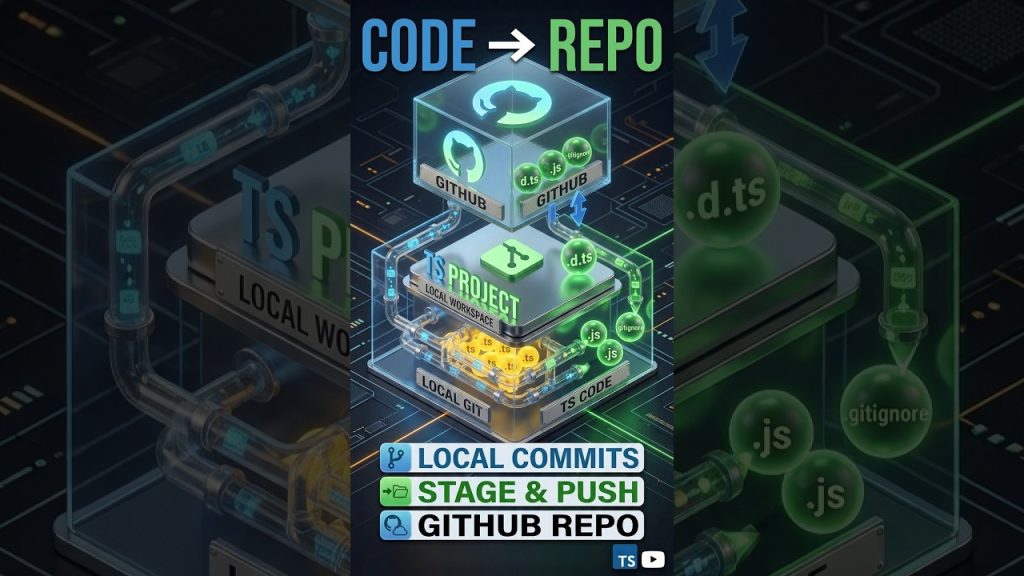
Now that your TypeScript project is configured, it’s time to save it like a pro! In this tutorial, we finalize our compiler settings and walk through the step-by-step process of initializing a Git repository and pushing your code to GitHub. Mastering this workflow is essential for every developer who wants to collaborate or showcase their work.

**In this video, you will learn:**

* Enabling strict compiler checks for unused variables and parameters.
* Initializing a local Git repository (`git init`).
* Configuring a `.gitignore` file for TypeScript projects.
* Creating a new repository on GitHub and linking it to your local project.
* Pushing your TypeScript source code and configurations to the cloud.

—–

### **Chapters with Timestamps**

0:00 – Finalizing Advanced Compiler Checks
0:12 – Handling Unused Variables and Parameters
0:25 – Ensuring Type Safety in Your Project
0:32 – Preparing Your Project for Version Control
0:54 – Initializing Git: The `git init` Command
1:12 – Staging and Committing Your TypeScript Files
1:21 – Creating a New GitHub Repository
1:38 – Linking Local Code to Remote GitHub Repository
2:05 – Executing the First Git Push
2:32 – Verifying Your Project on GitHub

Uncategorized

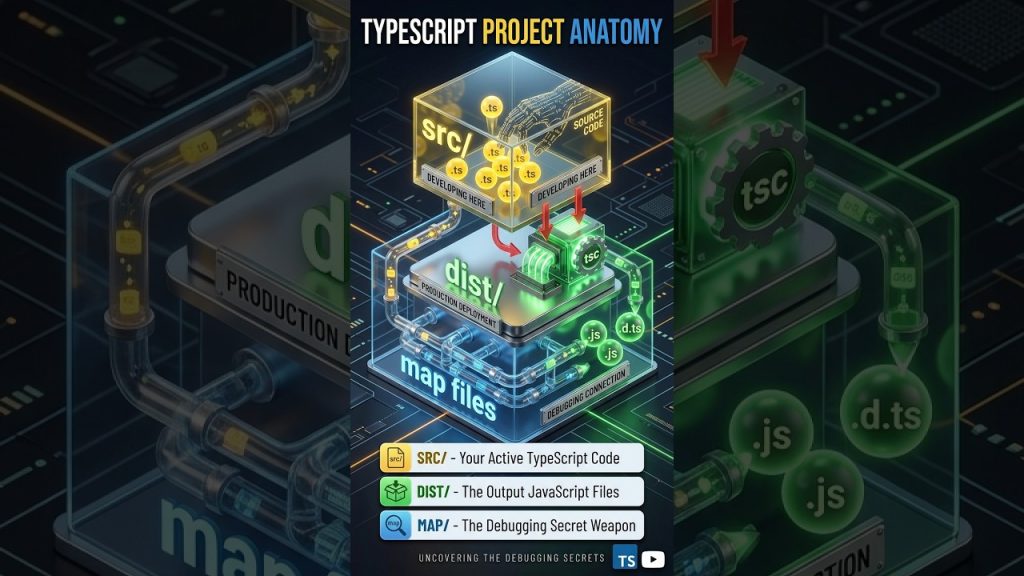
TypeScript Project Anatomy: src vs dist vs map files

Unlock the full power of the TypeScript Compiler (TSC)! In this tutorial, we move from basic compilation to advanced project configuration. Learn how TypeScript “predicts” your types, how to use Watch Mode for faster development, and what those complex `tsconfig.json` settings actually do for your code quality.

**In this video, you will learn:**

* How Type Prediction works during variable declaration.
* Essential CLI commands: `npx tsc`, `tsc –watch`, and `tsc –init`.
* Understanding the project structure: Root, Source, and Output folders.
* Deep dive into Compiler Options: `sourceMap`, `declaration`, and `strict` checks.
* How to catch bugs automatically with `noUnusedLocals` and `noUnusedParameters`.

—–

### **Chapters with Timestamps**

0:00 – Understanding Type Prediction in TypeScript
0:15 – Testing Type Safety with Variable Changes
0:45 – Running the Project: npx tsc Compilation
1:10 – Converting TS to JS: Checking the Output
1:38 – Essential Commands: Watch Mode & Auto-Recompile
1:56 – tsconfig.json Deep Dive: Root & Source Folders
2:06 – Target Versions & Module Systems
2:15 – Source Maps & Declaration Files (.d.ts)
2:25 – Mastering Strict Type Checking
2:38 – Cleaning Code: Finding Unused Variables & Parameters
2:50 – Advanced Index & Property Access Checks

Uncategorized

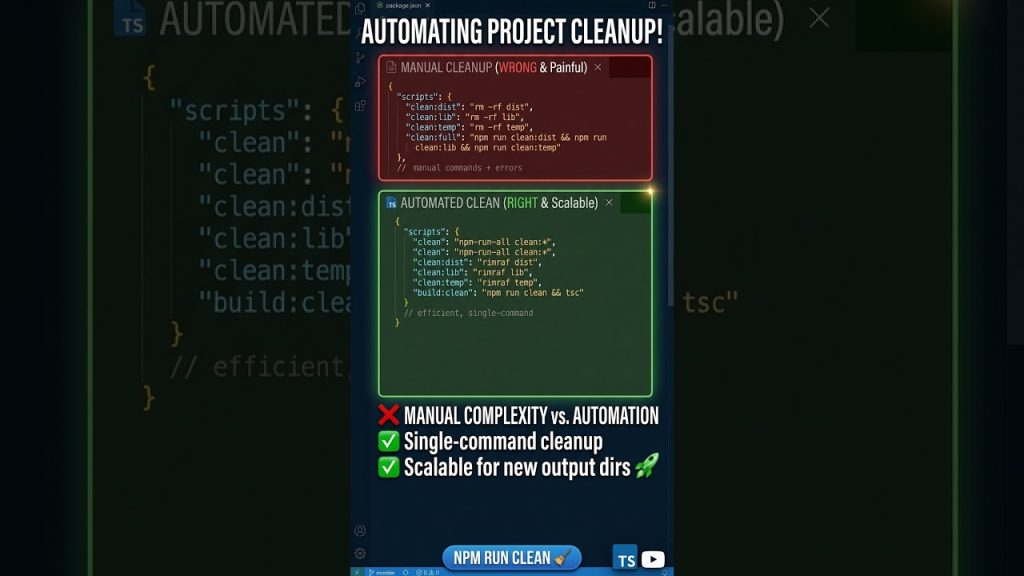
Automating Project Cleanup with npm run clean

Take your development workflow to the next level! In this tutorial, we demonstrate how to automate project cleanup using custom scripts and dive into the core of TypeScript: **Type Annotations**. Learn how to define types for variables and function parameters to catch errors before they happen.

**In this video, you will learn:**

* How to create and run an `npm run clean` script to manage your folders.
* The difference between plain JavaScript and type-safe TypeScript.
* Assigning types like `number` and `string` to variables.
* Defining parameter and return types for functions to eliminate “complaints” from the compiler.

—–

### **Chapters with Timestamps**

0:00 – Intro: Managing Your Build Environment
0:15 – Automating Cleanup: Using npm run clean
0:38 – verifying Folder Deletion & Script Execution
1:00 – Transitioning from JavaScript to TypeScript
1:25 – Coding a Basic Function Structure
1:45 – Why the Compiler Complains: Missing Types
2:05 – Applying Type Annotations to Variables
2:18 – Fixing Function Parameters with Type Number
2:35 – Final Comparison: Type-Safe vs. Non-Typed Code

Uncategorized

How to Create Professional npm Scripts for TypeScript

Streamline your TypeScript development by mastering the build and execution workflow. In this tutorial, we dive into the `tsc` compiler, explore how to control output files in the `dist` folder, and set up professional npm scripts in `package.json` to save you time.

**In this video, you will learn:**

* How to use `npx tsc` to transpile your project.
* The difference between development execution and production builds.
* Controlling build artifacts like `.d.ts` and source maps.
* Setting up `build` and `start` scripts for a professional workflow.
* Running your generated JavaScript with Node.js.

—–

### ** Timestamps**

0:00 – Introduction to Build Workflows
0:14 – Understanding File Deletion & Project Cleanup
0:25 – Compiling with npx tsc: Checking the Output
0:38 – Controlling Declaration and Map Files
0:54 – Managing the dist Folder & Build Control
1:10 – Converting TypeScript to JavaScript
1:25 – Verifying the index.js Output
1:40 – Running Compiled Files with Node.js
2:02 – Creating Professional npm Scripts
2:25 – Finalizing Build and Start Commands

Scroll to Top