Author name: admin

Uncategorized

How to Merge Branches in Git (Local Workflow Tutorial)

Confused about how to get your code from a feature branch into your main project? In this lesson from **Beshilo Coding Academy**, we master the `git merge` command.

We walk through the process of finishing work on a feature branch (like a Navigation bar or Footer), switching back to the `main` branch, and safely merging those changes locally before pushing to GitHub. I also show you how to handle the common issue of switching between different GitHub accounts on the same computer!

🚀 **In this video, you will learn:**

* How to check your active branch with `git branch`.
* The correct way to use `git switch main` to move between branches.
* Merging features locally using `git merge [branch-name]`.
* How to verify merged files using the `ls` command.
* Pushing the final merged code to your remote GitHub repository.
* **BONUS:** Managing multiple GitHub account credentials on one device.

**Subscribe to Beshilo Coding Academy for more simplified coding guides!** 🔔

—–

### **Timestamp Chapters**

* **0:00 – Pushing the Feature Branch to GitHub**
* **0:14 – Viewing Multiple Branches on GitHub**
* **0:28 – Understanding the “Compare & Pull Request” Prompt**
* **0:37 – How to Switch Branches Locally (`git switch main`)**
* **0:56 – Verifying Missing Files in the Main Branch**
* **1:11 – Returning to the Feature Branch to Check Work**
* **1:32 – The Merge Command: `git merge feature-nav`**
* **1:48 – Confirming the Merge with `ls` and Final Push**
* **2:10 – Switching GitHub Accounts & Clearing Credentials**

—–

**Hashtags:**
#GitMerge #GitHubTips #CodingTutorial #BeshiloCodingAcademy #WebDevelopment #Programming #VersionControl #GitBash #DevOps
Uncategorized

GitHub Branching Strategy: How to Work as a Second Developer

Ready to contribute to a team project? In this tutorial from **Beshilo Coding Academy**, we step into the shoes of “Developer 2.” Learn how to clone a repository you’ve been invited to, set up your own environment, and create feature branches to keep the main code safe.

We walk through the real-world workflow of creating a navigation and footer feature, committing those changes, and handling the “upstream” push to GitHub. This is essential for anyone working in a professional dev environment or collaborative student projects.

🚀 **What you’ll learn:**

* How to use `git clone` as a collaborator.
* Opening specific project folders in VS Code from the terminal.
* Creating and switching to feature branches with `git checkout -b`.
* Using `touch` to create new component files (nav, footer).
* Resolving the `git push` upstream error and linking local branches to remote ones.

**Don’t forget to SUBSCRIBE to Beshilo Coding Academy for more simplified coding tutorials!** 🔔

—–

### **Exact Timestamp Chapters**

* **0:00 – Cloning the Repository as Developer 2**
* **0:25 – Opening the Project in Visual Studio Code**
* **0:45 – Verifying Cloned Files (README & Home.js)**
* **1:00 – Creating a New Feature Branch (Navigation & Footer)**
* **1:13 – Creating New Project Files via Terminal**
* **1:37 – Adding Code to Navigation & Footer Components**
* **2:00 – The Git Commit Cycle: Add & Commit Changes**
* **2:09 – Fixing the “No Upstream Branch” Error during Push**
* **2:27 – Verifying Your New Branch on GitHub**

—–

### **Viral Hashtags & Search-Optimized Tags**

**Hashtags:**
#GitHub #GitTutorial #SoftwareEngineering #CodingTutorial #BeshiloCodingAcademy #WebDevelopment #Programming #GitBranch #VersionControl

Uncategorized

How to Push Code to GitHub for Beginners (2027)

Are you tired of “Permission Denied” errors or getting lost in the terminal? In this tutorial from **Beshilo Coding Academy**, we break down the EXACT steps professional developers use to manage their code on GitHub.

Whether you’re starting a new project or joining a team, mastering `git push` and `git clone` is your first step toward becoming a pro software engineer.

🔥 **Inside this video, we cover:**

* **The Magic Command:** How to use `git clone` to download any project instantly.
* **VS Code Shortcut:** Launch your project like a pro using the `code .` terminal command.
* **The “Holy Trinity” of Git:** A step-by-step walkthrough of `git add`, `git commit`, and `git push origin main`.
* **PRO FIX:** How to handle multiple GitHub accounts on one PC (Fixing authentication and credential errors!).
* **Collaboration 101:** Setting up your repo so other developers can join your project.

**Timestamps for Fast Learning:**
0:00 – How to use `git clone` correctly
0:27 – Opening projects in VS Code via Terminal (`code .`)
0:48 – Creating your first project files (`README.md` & `.js`)
1:03 – The 3-Step Push: Add, Commit, and Push to Main
1:20 – **CRITICAL:** Fixing “Two GitHub Accounts” Authentication Errors
1:55 – Signing in through the browser for secure access
2:26 – Inviting your second developer (Collaboration Start)

**Don’t forget to SUBSCRIBE to Beshilo Coding Academy for more simplified coding tutorials!** 🔔

#GitHub #GitTutorial #CodingForBeginners #WebDevelopment #Programming #SoftwareEngineering #BeshiloCodingAcademy #VSCode #GitBash #DevLife

Uncategorized

Git & GitHub Collaboration: Full Guide for Beginners

In this tutorial from Beshilo Coding Academy, we dive into Module 4: Agile Collaboration. Learn exactly how professional developers work together on the same project using Git and GitHub. We cover the entire workflow: sharing repositories, cloning, creating feature branches, pushing local changes, and handling pull requests with confidence.

**Key Topics & Timestamps:**

* 0:00 – Resolving Merge Conflicts in the Editor
* 0:13 – Verifying & Merging Pull Requests
* 0:40 – Resolving Branch Conflicts Step-by-Step
* 0:58 – Introduction to Agile Collaboration (Module 4)
* 1:20 – Real-World Scenario: 2 Developers, 1 Project
* 1:45 – How to Create a New GitHub Repository
* 2:20 – Cloning a Repository using Git Bash

**Hashtags:**
#GitHub #GitTutorial #CodingAcademy #WebDevelopment #Programming #SoftwareEngineering #GitBash #PullRequest

Uncategorized

How to Sync Local Git with GitHub: Resolving Diverged Branches

What happens when your GitHub repository is ahead of your local code? 🚀 In this tutorial, **Beshilo Coding Academy** teaches you how to master the “Syncing” process.

We demonstrate a real-world scenario where a file (like `login.js`) is modified directly on GitHub, and your local terminal thinks everything is “up-to-date.” We show you how to use `git pull` to fetch those remote changes and merge them into your local workspace so you never lose progress.

**What You’ll Master:**
✅ **The Sync Problem:** Why your terminal says “up-to-date” even when GitHub has new changes.
✅ **GitHub Web Editing:** Simulating team changes by modifying files directly in the browser.
✅ **The `git pull` Command:** How to download and merge remote data in one step.
✅ **Verifying History:** Using `git log –oneline` to see the new “Merge branch” commit.
✅ **Local Verification:** Confirming that your local files now match the remote repository.

—–

### **⏱️ CHAPTERS (Exact Timestamps)**

00:00 – Introduction to Git Collaboration & Syncing
00:15 – Scenario: Modifying a File Directly on GitHub (The Remote Change)
00:43 – The Conflict: Why Local Git Doesn’t See the New Change Yet
01:03 – Using `git pull` to Sync Your Local Machine with GitHub
01:25 – Understanding the Automatic Merge Commit
01:48 – Verifying Your Sync: Checking Files and Commit Logs
02:12 – Why this Workflow is Essential for Coding Teams
02:35 – Summary: Always Pull Before You Push!

—–

### **Resources & Links**

🔗 Git Pull Documentation: https://git-scm.com/docs/git-pull
🔗 GitHub Collaboration Guide: https://docs.github.com/en/get-started/quickstart/contributing-to-projects

**Essential Prerequisite Videos:**
📺 [Git Fetch vs. Git Pull: Understanding Remote Changes](https://studio.youtube.com/video/KSze7Soe3fA)
📺 [VS Code Merge Editor: How to Resolve Conflicts](https://studio.youtube.com/video/_fFcsQoQxqE)

—–

### **About Beshilo Coding Academy**

We build the bridge between solo coding and professional teamwork. Syncing your code is the most important habit a developer can have. Subscribe to master the tools the pros use!

#GitPull #GitHubCollaboration #CodingForBeginners #VersionControl #WebDevelopment #SoftwareEngineering #BeshiloCodingAcademy #GitTutorial #OpenSource #ProgrammingTips

Uncategorized

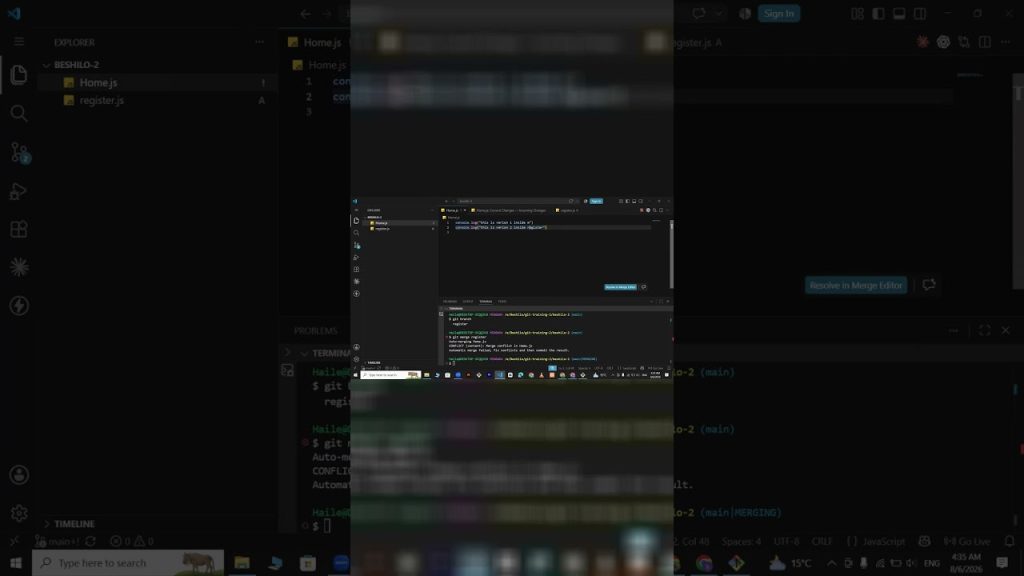
VS Code Merge Editor: How to Resolve Conflicts & Compare Changes

Don’t let merge conflicts slow you down! 🚀 In this tutorial, **Beshilo Coding Academy** takes you inside the VS Code Merge Editor to show you how to handle code clashes like a pro.

We demonstrate how to compare changes side-by-side, decide between “Current” and “Incoming” code, and finally resolve the conflict to merge your features into the main branch. Once the merge is complete, we show you how to clean up your workspace by deleting old feature branches.

**What You’ll Master:**
✅ **The Merge Editor:** Using VS Code’s built-in tools to compare file differences.
✅ **Conflict Resolution:** Choosing between Accept Current Change, Accept Incoming Change, or Both.
✅ **Finalizing the Merge:** How to complete the process so your `main` branch is up to date.
✅ **Branch Cleanup:** Using the command line to delete branches like `register` after a successful merge.
✅ **Repetitive Workflow:** Creating new branches like `login` and adding new files (`login.js`) to keep the cycle going.

—–

### **⏱️ CHAPTERS (Exact Timestamps)**

00:00 – Resolving Merge Conflicts in VS Code
00:18 – How to Compare Current vs. Incoming Changes
00:37 – The Solution: Accepting Changes & Finalizing the Merge
01:04 – Verifying the Merge: Checking Files in the Main Branch
01:31 – Git Hygiene: How to Delete Local Branches After Merging
02:04 – Creating a New Feature Branch: `git switch -c login`
02:24 – Modifying Files and Creating `login.js`
02:38 – Staging, Committing, and Pushing Your New Feature

—–

### **Resources & Links**

🔗 VS Code Version Control Guide: https://code.visualstudio.com/docs/editor/versioncontrol
🔗 Git Merge Docs: https://git-scm.com/docs/git-merge

**Essential Git Skills:**
📺 [How to Fix Git Merge Conflicts (Part 1)](https://studio.youtube.com/video/VSkrr1_m5js)
📺 [How to Create & Switch Branches in One Step](https://studio.youtube.com/video/ndp9AgMydhg)

—–

### **About Beshilo Coding Academy**

We specialize in practical, terminal-based training that prepares you for real-world software engineering. Mastering the merge conflict is your ticket to working on professional teams. Subscribe for more expert coding tutorials!

#GitMerge #MergeConflict #VSCode #GitHub #CodingForBeginners #WebDevelopment #SoftwareEngineering #BeshiloCodingAcademy #VersionControl #GitTutorial

Uncategorized

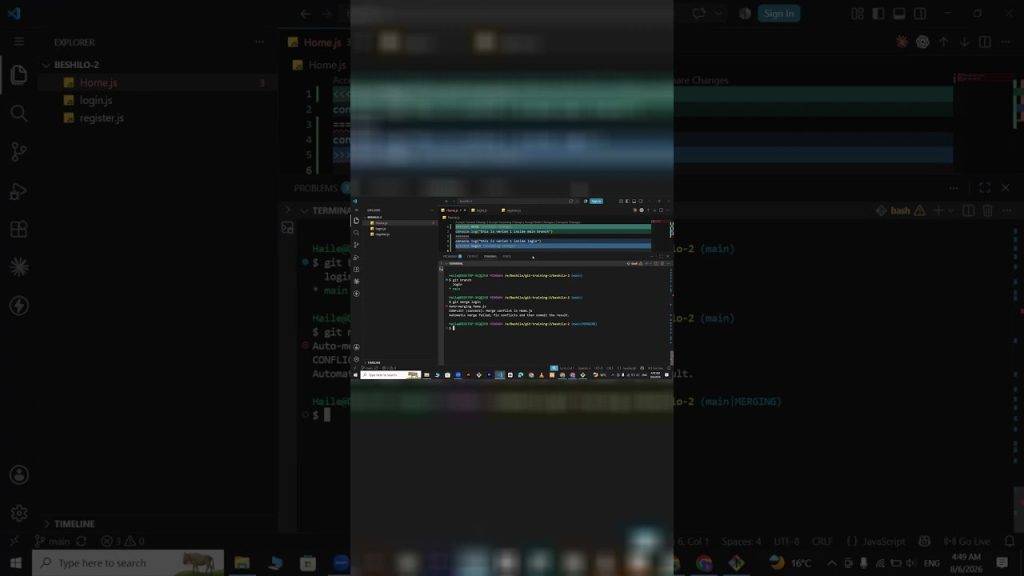
Git Merge Tutorial: How to Merge Branches and Resolve Conflicts in VS Code

Don’t panic when you see a merge conflict! 🚀 In this tutorial, **Beshilo Coding Academy** walks you through the reality of modern software development: merging code from different branches.

We show you exactly what happens when two versions of a file clash and how to use the VS Code Merge Editor to choose between “Current Changes” and “Incoming Changes.” Mastering this workflow is what allows developers to work together on the same project without deleting each other’s work.

**What You’ll Master:**
✅ **Setting Upstream:** Using `git push –set-upstream origin [branch]` for the first push.
✅ **Branch Navigation:** Switching between your feature branch and the `main` branch.
✅ **The Merge Command:** Using `git merge [branch-name]` to bring your features into production.
✅ **Conflict Resolution:** How to identify a merge conflict and use the VS Code editor to fix it.
✅ **Team Logic:** Understanding how multiple developers contribute to a single repository.

—–

### **⏱️ CHAPTERS (Exact Timestamps)**

00:00 – The Upstream Error: How to Push a New Branch for the First Time
00:15 – Using the `git push –set-upstream` Shortcut
00:43 – Switching Back to the Main Branch
01:03 – Comparing Files: How File Visibility Changes with Branches
01:45 – Preparing the Main Branch for a Merge
02:02 – Running `git merge`: What Happens When Branches Combine?
02:06 – **Merge Conflict!** Why It Happens and What It Looks Like
02:22 – Resolving Conflicts: Accept Current vs. Incoming vs. Both Changes
02:35 – Summary: Why Branching is the Key to Teamwork

—–

### **Resources & Links**

🔗 VS Code Merge Conflict Guide: https://code.visualstudio.com/docs/editor/versioncontrol#_merge-conflicts
🔗 Git Merge Documentation: https://git-scm.com/docs/git-merge

**Master the Prerequisite Skills:**
📺 [How to Delete a Git Branch & Manage Feature Work](https://studio.youtube.com/video/vissjOFswNM)
📺 [Git & GitHub Full Course for Beginners | Zero to Hero](https://studio.youtube.com/video/T_Js1IIOhUs)

—–

### **About Beshilo Coding Academy**

Conflict resolution is a superpower in software engineering. We break down the complex parts of the Git ecosystem so you can focus on building amazing apps. Subscribe for more expert developer training!

#GitMerge #MergeConflict #GitHub #CodingForBeginners #VSCode #WebDevelopment #SoftwareEngineering #BeshiloCodingAcademy #VersionControl #ProgrammingTutorial

Uncategorized

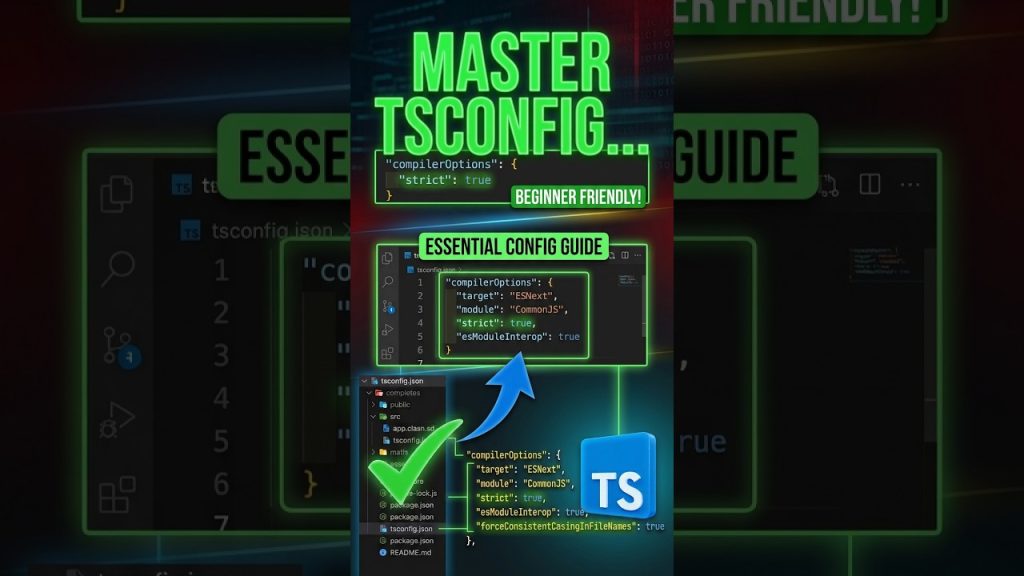
Master TypeScript Configuration: tsconfig.json Guide for Beginners

Master your TypeScript project setup by understanding the tsconfig.json file!

In this lesson, we break down how to tell TypeScript exactly how to compile your code, where your source files live (rootDir), and where your final JavaScript should go (outDir). Whether you’re a beginner or looking to refine your dev workflow, mastering these compiler options is essential for clean, bug-free code.

⚡ Key Concepts Covered:
• What the tsconfig.json file actually does
• Setting rootDir and outDir to keep code organized
• Enabling strict type checking for production safety
• Creating a clean project structure (src/index.ts – – dist/index.js)
• Target JS versions & module selection

⏱️ Timestamps:
00:00 – Introduction to tsconfig.json
00:15 – Setting rootDir and outDir
00:47 – Type Checking & Compiler Options
01:11 – Target JS Versions & Node.js Modules
01:38 – Creating Project Structure (src/index.ts)
02:22 – Generating Markdown Project Structure

—————————————————
🔔 Subscribe to Beshilo Coding Academy for full-stack software engineering tutorials!
#TypeScript #JavaScript #WebDevelopment #Programming #VSCode #BeshiloCodingAcademy

Uncategorized

Git Branch Management: Creating, Deleting, and Pushing New Branches

“Cannot delete branch ‘login’ because you are checked out on it.” 🚀 If you’ve seen this error, this video is for you! **Beshilo Coding Academy** explains the rules of Git branch deletion and how to properly sync your project.

We also walk through a full feature-branch workflow—from creating a `register` page to pushing that specific branch to GitHub. This is essential for anyone wanting to keep their project structure clean and professional.

**What You’ll Master:**
✅ **Branch Deletion:** Why you must switch to the `main` branch before deleting others.
✅ **The Delete Command:** Using `git branch -d [name]` to remove local branches you no longer need.
✅ **Verification:** Using `git branch` to confirm your list is clean.
✅ **Feature Workflow:** Creating a new `register` branch and adding unique content.
✅ **Pushing Branches:** Using `git push` with the upstream suggestion to get your new branch onto GitHub.

—–

### **⏱️ CHAPTERS (Exact Timestamps)**

00:00 – Why You Can’t Delete a Branch You’re Currently Using
00:15 – Recap: The `git switch -c` Shortcut
00:23 – The Fix: Switching to `main` Before Deletion
00:55 – `git branch -d`: Deleting the Login Branch Successfully
01:15 – Verifying Your Clean Branch List
01:25 – Practical Exercise: Creating a New `register` Feature Branch
01:45 – Modifying Files and Tracking “Version 2” Changes
02:05 – Staging and Committing Your Feature Work
02:15 – Pushing a New Branch to GitHub (Upstream Command)

—–

### **Resources & Links**

🔗 Git Documentation (Branching): https://git-scm.com/docs/git-branch
🔗 My GitHub Profile: [Your Link Here]

**Level Up Your Git Skills:**
📺 [How to Create & Switch Branches in One Step](https://studio.youtube.com/video/ndp9AgMydhg)
📺 [Git Fetch vs. Git Pull Explained](https://studio.youtube.com/video/KSze7Soe3fA)

—–

### **About Beshilo Coding Academy**

We help you avoid common pitfalls so you can focus on building great software. Deleting old branches and managing features is a key part of “Git Hygiene.” Subscribe for more professional development tips!

#GitTutorial #CodingForBeginners #GitHub #GitBranch #WebDevelopment #SoftwareEngineering #BeshiloCodingAcademy #ProgrammingTutorial #VersionControl #TerminalCommands

Scroll to Top