Author name: admin

Uncategorized

Git Branching Hacks: Create, Switch, and Delete Branches Like a Pro

Speed up your Git workflow! 🚀 In this tutorial, **Beshilo Coding Academy** shows you the professional way to handle branches.

Instead of the slow process of creating a branch and then switching to it manually, we reveal the “Shortcut Command” that does both instantly. This small change will save you time every single day you’re coding.

**What You’ll Master:**
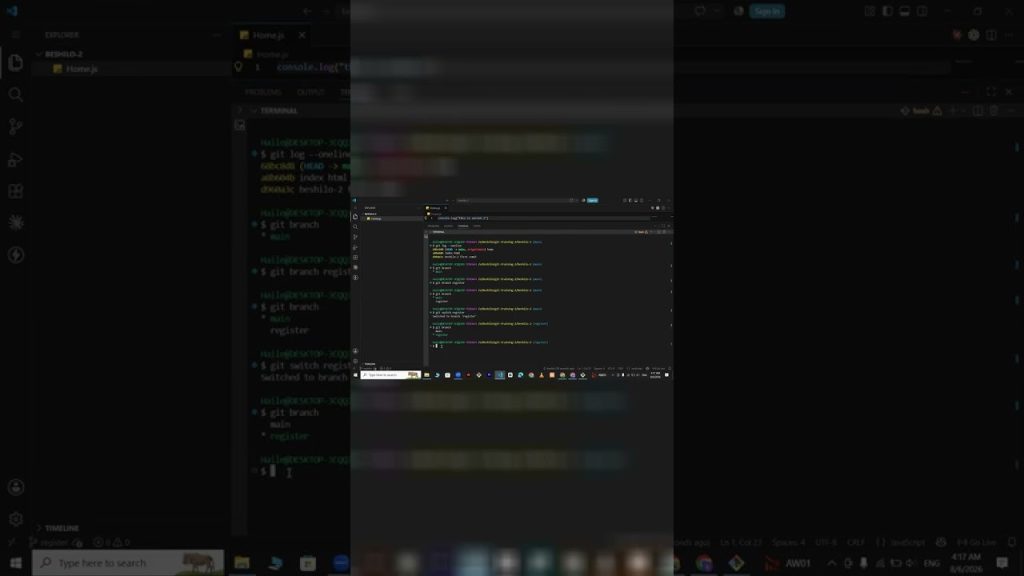
✅ **Verification Basics:** Using `git log –oneline` and `git branch` to check your status.
✅ **The Standard Way:** Creating a branch with `git branch` and switching with `git switch`.
✅ **The Pro Shortcut:** Using `git switch -c [name]` to create and enter a new branch at the same time.
✅ **Terminal Navigation:** Using `Ctrl + L` vs the `clear` command for a cleaner workspace.
✅ **Branch Identification:** Understanding what the asterisk (*) means in your branch list.

—–

### **⏱️ CHAPTERS (Exact Timestamps)**

00:00 – Checking Project Status & Pushing Final Main Changes
00:18 – Terminal Tip: `Ctrl + L` vs. `clear` Command
00:23 – How to Verify Commit History with `git log –oneline`
00:28 – Checking Your Current Branch: What the Asterisk (*) Means
00:41 – The Two-Step Method: `git branch` followed by `git switch`
01:23 – **The Pro Shortcut:** Creating and Switching with `git switch -c`
02:08 – Verifying Your Location in the New Feature Branch
02:18 – Recap: Best Practices for Branch Management

—–

### **Resources & Links**

🔗 Git Cheat Sheet: https://education.github.com/git-cheat-sheet-education.pdf
🔗 Download Git Bash: https://git-scm.com/downloads

**Master the Rest of the Workflow:**
📺 [Git Fetch vs. Git Pull: Understanding Remote Changes](https://studio.youtube.com/video/KSze7Soe3fA)
📺 [Git & GitHub Full Course for Beginners | Zero to Hero](https://studio.youtube.com/video/T_Js1IIOhUs)

—–

### **About Beshilo Coding Academy**

Our mission is to help you work smarter, not harder. By mastering these terminal shortcuts, you’re building the muscle memory of a senior software engineer. Subscribe for more efficiency tips and coding tutorials!

#GitShortcuts #GitHub #CodingForBeginners #GitSwitch #WebDevelopment #SoftwareEngineering #BeshiloCodingAcademy #VersionControl #TerminalHacks #ProgrammingTips
Uncategorized

Git Fetch vs. Git Pull: Understanding Remote Changes & Merging

What’s the difference between fetching and pulling? 🚀 In this lesson, **Beshilo Coding Academy** explains how to manage changes between your local machine and your remote GitHub repository.

We break down the professional developer cycle and introduce advanced topics like resolving merge conflicts and managing feature branches. If you want to work on a team, understanding how to “sync” code without breaking your project is a non-negotiable skill.

**What You’ll Master:**
✅ **The Sync Cycle:** Understanding `git fetch` (downloading without merging) vs. `git pull` (download and merge).
✅ **The Standard Workflow:** A recap of Clone – Edit – Status – Commit – Push.
✅ **Branching Strategy:** How to create feature branches and prepare for a merge.
✅ **Merge Conflicts:** A preview of how to identify and resolve code clashes.
✅ **Clean Workspace:** Using `clear` and `rm -rf` to maintain your project environment.

—–

### **⏱️ CHAPTERS (Exact Timestamps)**

00:00 – Recap: The Standard Git Developer Workflow
00:18 – Example: Staging and Committing `index.html`
00:35 – Step-by-Step: From Cloning to Pushing to Origin
00:58 – Git Fetch: Downloading Changes Without Merging
01:06 – Git Pull: Downloading and Auto-Merging Remote Data
01:15 – Coming Up: Branching, Merging, and Conflict Resolution
01:45 – Practice: Setting Up a New Feature Folder Structure
02:12 – Creating a Log: Modifying Files for a Feature Branch
02:24 – Finalizing the Cycle: Status, Commit, and Push

—–

### **Resources & Links**

🔗 Git Fetch vs Pull Documentation: https://git-scm.com/docs/git-pull
🔗 Join the Full Course: [Your Link Here]

**Advanced Git Tutorials:**
📺 [Master Git Branches: Create, Switch & Manage](https://studio.youtube.com/video/Vb72RJMGnRw)
📺 [How to Fix GitHub Authentication Errors](https://studio.youtube.com/video/E_KOCwyzO0k)

—–

### **About Beshilo Coding Academy**

Our goal is to take you from a hobbyist to a professional contributor. Mastering the “Fetch and Pull” logic is key to working with other developers on GitHub. Subscribe for more intermediate and advanced coding guides!

#GitPull #GitFetch #GitHubTutorial #CodingForBeginners #VersionControl #WebDevelopment #SoftwareEngineering #BeshiloCodingAcademy #GitMerge #ProgrammingTips

Uncategorized

Git Branching Tutorial for Beginners: Create, Switch & Manage Branches

Stop working on your `main` branch! 🚀 In this tutorial, **Beshilo Coding Academy** introduces you to one of the most powerful features of Git: **Branching**.

Learning how to create separate branches allows you to experiment with new features or fix bugs without affecting your stable project. This is the exact workflow used by professional engineering teams at companies like Google and Meta.

**What You’ll Master:**
✅ **The Concept of Branching:** Why we use branches to separate “Main” code from “Feature” code.
✅ **Creating Branches:** Using `git branch [name]` to start a new line of development.
✅ **Navigating Branches:** How to use `git checkout` to move between different versions of your project.
✅ **Visualization:** Using the `git branch` command to see a list of all your active branches.
✅ **Safety First:** How to verify which branch you are currently working on before making changes.

—–

### **⏱️ CHAPTERS (Exact Timestamps)**

00:00 – Introduction to Git Branching
00:15 – Why You Should Never Code Directly on the Main Branch
00:41 – How to Check Your Current Branches using `git branch`
01:03 – Creating Your First Feature Branch: `git branch [name]`
01:25 – Switching Between Branches: The `git checkout` Command
01:45 – Verifying Your Location: How to Know Which Branch is Active
02:10 – Working on a Feature: Modifying Files in a Separate Branch
02:32 – Preparing for the Next Step: Merging Branches

—–

### **Resources & Links**

🔗 Git Branching Documentation: https://git-scm.com/book/en/v2/Git-Branching-Basic-Branching-and-Merging
🔗 Visualizing Git Branches (Tool): https://learngitbranching.js.org/

**Complete the Workflow:**
📺 [How to Rename & Move Files in Git | git mv Tutorial](https://studio.youtube.com/video/dSqbao8rNu0)
📺 [Git & GitHub Full Course for Beginners | Zero to Hero](https://studio.youtube.com/video/T_Js1IIOhUs)

—–

### **About Beshilo Coding Academy**

We specialize in teaching the workflows that get you hired. Mastering branches is the first step toward working on large-scale open-source projects and professional dev teams. Subscribe to continue your journey!

#GitBranching #GitHub #CodingForBeginners #VersionControl #WebDevelopment #SoftwareEngineering #BeshiloCodingAcademy #GitTutorial #ProgrammingRoadmap #GitCheckout

Uncategorized

How to Rename & Move Files in Git (Using `git mv` Correctly)

Don’t break your Git history by renaming files manually! 🚀 In this tutorial, **Beshilo Coding Academy** explains how to use the `git mv` command to rename and move files while keeping your version control history intact.

We walk through real-world examples, like changing a `register.js` file to `login.js`, and how to handle file extensions (like `.py` to `.css`) directly from the terminal. This is a crucial skill for maintaining a clean and professional repository.

**What You’ll Master:**
✅ **The `git mv` Command:** Why you should use it instead of your computer’s standard rename.
✅ **File Renaming:** Step-by-step guide to changing file names without losing track of changes.
✅ **Directory Management:** Moving files between folders while staying under Git control.
✅ **Verification:** Using `ls` to confirm name changes and checking the status of your “tracked” files.
✅ **Pushing Updates:** Committing and pushing your renamed files to GitHub.

—–

### **⏱️ CHAPTERS (Exact Timestamps)**

00:00 – Why Manual Renaming Breaks Git Tracking
00:15 – Committing Existing Files Before Renaming
00:30 – Using the `git mv` Command to Rename Files
00:50 – Verifying Changes: `ls` vs. Original File Names
01:03 – Practical Example: Renaming Extensions (.py to .css)
01:25 – Moving Files into Folders via Terminal
01:52 – Finalizing Changes: Staging, Committing & Pushing
02:18 – Troubleshooting: Ensuring Your Files are Properly Tracked
02:35 – Summary: Best Practices for File Management in Git

—–

### **Resources & Links**

🔗 Git Documentation (git mv): https://git-scm.com/docs/git-mv
🔗 Download Git Bash: https://git-scm.com/downloads

**Master the Rest of the Workflow:**
📺 [Daily Git Workflow: How to Update Files & Push Changes](https://studio.youtube.com/video/Yn6mb0TK4_w)
📺 [Git & GitHub Full Course for Beginners | Zero to Hero](https://studio.youtube.com/video/T_Js1IIOhUs)

—–

### **About Beshilo Coding Academy**

We help you master the “hidden” commands of Git that separate beginners from pros. By learning how to manage your project structure correctly, you’re building better software. Subscribe for more deep dives into developer tools!

#GitTutorial #CodingForBeginners #GitMv #ProgrammingTutorial #WebDevelopment #SoftwareEngineering #BeshiloCodingAcademy #VersionControl #TerminalCommands #GitHubTips

Uncategorized

Daily Git Workflow: How to Update Files & Push Changes to GitHub

Once your project is live, how do you update it? 🚀 In this video, **Beshilo Coding Academy** breaks down the essential daily cycle of a software developer: modifying code and syncing those changes with GitHub.

We dive deep into the terminal to show you exactly how to track changes, interpret `git status` messages, and package your work into meaningful commits. This is the foundation of professional version control.

**What You’ll Master:**
✅ **Tracking Changes:** Using `git status` to identify modified (M) and new files.
✅ **The Staging Step:** Why we use `git add` before committing.
✅ **Commit Best Practices:** How to write a commit message that explains your progress.
✅ **The Final Sync:** Using `git push` to update your remote GitHub repository.
✅ **Verification:** Confirming your updates are live on the GitHub web interface.

—–

### **⏱️ CHAPTERS (Exact Timestamps)**

00:00 – The Daily Developer Workflow: An Overview
00:15 – Modifying Files in VS Code & Terminal
00:27 – Using `git status` to See Your Progress
00:43 – Staging Your Changes: `git add .` Explained
01:05 – Creating a Commit: Saving a Snapshot of Your Code
01:28 – `git push`: Sending Local Updates to GitHub
01:48 – Refreshing the GitHub UI to Verify Changes
02:12 – Repeating the Cycle: Making Further Modifications
02:35 – Summary: Status, Add, Commit, Push

—–

### **Resources & Links**

🔗 My GitHub Profile: [Your GitHub Link]
🔗 Git Cheat Sheet: https://education.github.com/git-cheat-sheet-education.pdf

**Master the Basics First:**
📺 [How to Install Git & Create a GitHub Account](https://studio.youtube.com/video/UqCRxrO9y-Y)
📺 [How to Fix GitHub Authentication & Authorize Git Credential Manager](https://studio.youtube.com/video/E_KOCwyzO0k)

—–

### **About Beshilo Coding Academy**

Our mission is to make you industry-ready. By mastering the Git workflow, you are learning the #1 tool used by engineering teams worldwide. Subscribe to level up your dev skills!

#GitWorkflow #GitHub #CodingForBeginners #GitPush #ProgrammingTutorial #WebDevelopment #SoftwareEngineering #BeshiloCodingAcademy #VersionControl #GitStatus

Uncategorized

How to Fix GitHub Authentication & Authorize Git Credential Manager

Stuck on the “Authorize Git Ecosystem” screen? 🚀 In this tutorial, **Beshilo Coding Academy** solves one of the biggest headaches for new developers: GitHub Authentication.

We show you exactly how to verify your identity through the browser, authorize the Git Credential Manager, and successfully push your local files to GitHub. Plus, we dive into how to manage modified files directly inside VS Code using the integrated terminal.

**What You’ll Master:**
✅ **Authentication:** How to sign in with your browser and authorize the GitHub Ecosystem.
✅ **The First Push:** Using `git push -u origin main` to sync your local PC with the cloud.
✅ **VS Code Integration:** Opening your project with `code .` and using the integrated terminal.
✅ **File States:** Understanding “Modified” (M) and “Untracked” (U) files in your project.
✅ **Status Verification:** Using `git status` and `git remote -v` to check your connections.

—–

### **⏱️ CHAPTERS (Exact Timestamps)**

00:00 – The Final Step: Pushing Your Project to GitHub
00:26 – Troubleshooting: Managing Multiple GitHub Accounts
00:42 – How to Authorize Git Credential Manager (Browser Sign-in)
01:02 – Success! Refreshing GitHub to See Your Pushed Files
01:22 – Verification Commands: `ls`, `git status` & `git remote -v`
01:58 – VS Code Pro Tip: Opening Projects with `code .`
02:12 – Modifying Files: Understanding the “M” (Modified) Status
02:28 – Adding New Files (Python & HTML) in the Staging Area

—–

### **Resources & Links**

🔗 GitHub Auth Support: https://docs.github.com/en/get-started
🔗 Download VS Code: https://code.visualstudio.com/

**Essential Prerequisite Videos:**
📺 [How to Install Git & Create a GitHub Account](https://studio.youtube.com/video/UqCRxrO9y-Y)
📺 [How to Push Code to GitHub: Local to Remote Repository Guide](https://studio.youtube.com/video/XLkEig_ASEY)

—–

### **About Beshilo Coding Academy**

We help you navigate the tricky parts of the developer workflow. From terminal errors to cloud deployments, we provide the clarity you need to keep coding. Subscribe for more expert guides!

#GitHub #Git #CodingForBeginners #GitPush #VSCode #GitCredentialManager #WebDevelopment #SoftwareEngineering #BeshiloCodingAcademy #ProgrammingTutorial

Uncategorized

How to Push Code to GitHub: Local to Remote Repository Guide

Go live with your code! 🚀 In this tutorial, **Beshilo Coding Academy** shows you the exact steps to connect your local Git project to a remote GitHub repository.

We break down the “Three Pillars” of the Git workflow: the Working Directory, the Staging Area, and the Repository. Whether you’re creating a public portfolio or a private project, this guide ensures your code is safely backed up on the cloud.

**What You’ll Master:**
✅ **The Git Workflow:** Understanding the “Packaging” (Staging) step vs. the Working Area.
✅ **GitHub Setup:** How to create a new Public or Private repository.
✅ **The Initial Push:** Using `git init`, `git add`, and `git commit` for the first time.
✅ **Branch Management:** Setting your main branch with `git branch -M main`.
✅ **Remote Connection:** Linking your local PC to GitHub with `git remote add origin`.
✅ **Pushing Code:** Finalizing your upload with `git push -u origin main`.

—–

### **⏱️ CHAPTERS (Exact Timestamps)**

00:00 – The 3 Stages: Working Area, Staging Area, and Repository
00:17 – Understanding the “Packaging” Step (Staging Area)
00:43 – Creating a New GitHub Repository (Public vs. Private)
01:25 – How to Use the `README.md` Command
01:52 – Your First Commit: Saving Your Progress Locally
02:02 – Renaming Your Main Branch for GitHub Compatibility
02:12 – Connecting Local Git to Your Remote GitHub Link
02:24 – `git push`: How to Upload Your Code for the First Time
02:35 – Summary: What to Use for Existing Projects

—–

### **Resources & Links**

🔗 Create a GitHub Repo: https://github.com/new
🔗 Git Documentation: https://git-scm.com/doc

**Next Level Tutorials:**
📺 [Git & GitHub Full Course for Beginners | Zero to Hero](https://studio.youtube.com/video/T_Js1IIOhUs)
📺 [Introduction to TypeScript Modules](https://studio.youtube.com/video/LIkTf8Palik)

—–

### **About Beshilo Coding Academy**

We turn complicated workflows into simple steps. From your first line of code to your first production deployment, we’ve got you covered. Subscribe for more professional developer tutorials!

#GitHub #Git #CodingForBeginners #GitPush #WebDevelopment #SoftwareEngineering #BeshiloCodingAcademy #VersionControl #ProgrammingTutorial #GitTutorial

Uncategorized

Git Basics: How to Initialize a Repository & Add Files (Step-by-Step)

Take control of your local projects with Git! 🚀 In this lesson, **Beshilo Coding Academy** explains how to turn any local folder into a Git repository and why the “hidden” `.git` folder is the most important part of your project.

We also tackle common Windows view issues—like missing file extensions and hidden items—to ensure your development environment is set up exactly like a pro’s.

**What You’ll Learn:**
✅ **Environment Setup:** Enabling file name extensions and hidden items in Windows.
✅ **Repository Initialization:** Using `git init` to start tracking your project.
✅ **File Management:** Deleting files via terminal using `rm -rf` and creating them with `touch`.
✅ **The Staging Area:** The difference between adding single files and using `git add .` to stage everything at once.
✅ **Project Structure:** Organizing folders for HTML, JavaScript, and Python.

—–

### **⏱️ CHAPTERS (Exact Timestamps)**

00:00 – Managing HTML & CSS Files via Terminal
00:10 – Pro Tip: How to Enable File Name Extensions in Windows
00:20 – `rm -rf`: How to Delete Files via Command Line
00:40 – Navigating Directories: `cd ..` and Manual Deletion
01:03 – `git init`: Initializing Your Local Git Repository
01:10 – Understanding the Hidden `.git` Folder (History & Branches)
01:23 – Fix: How to See Hidden Items/Folders in Your Project
01:45 – Creating a Project Structure (Folders & Multiple File Types)
02:12 – `git add .` vs. Single File Staging: Preparing for Commit

—–

### **Resources & Links**

🔗 Download Git: https://git-scm.com/downloads
🔗 VS Code (Recommended Editor): https://code.visualstudio.com/

**Continue Your Journey:**
📺 [Basic Terminal Commands Every Developer Must Know](https://studio.youtube.com/video/msEmZS__O84)
📺 [Git & GitHub Full Course for Beginners | Zero to Hero](https://studio.youtube.com/video/T_Js1IIOhUs)

—–

### **About Beshilo Coding Academy**

We specialize in making the “scary” parts of coding simple. From terminal basics to advanced version control, we provide the roadmap you need to succeed. Subscribe for more expert dev tips!

#GitTutorial #CodingForBeginners #VersionControl #WebDevelopment #SoftwareEngineering #GitInit #TerminalCommands #BeshiloCodingAcademy #ProgrammingRoadmap #TechTips

Uncategorized

Basic Terminal Commands Every Developer Must Know (mkdir, cd, touch, ls)

Stop relying on your mouse! 🚀 In this tutorial, **Beshilo Coding Academy** teaches you how to navigate your computer and manage projects like a pro using the terminal.

Knowing how to create, delete, and move between folders using commands is a fundamental skill for any software engineer or web developer. We break down the most common commands you’ll use every single day in your coding journey.

**What You’ll Master:**
✅ **Navigation:** Using `pwd` to find your location and `cd` to move between directories.
✅ **Folder Management:** Creating multiple folders at once with `mkdir`.
✅ **File Creation:** Using the `touch` command to instantly create HTML and CSS files.
✅ **File Visibility:** Using `ls` to list all contents and verifying file extensions.
✅ **Cleanup:** How to clear your terminal view and back out of folders.

—–

### **⏱️ CHAPTERS (Exact Timestamps)**

00:00 – Introduction to Terminal Basics
00:12 – `pwd`: How to Check Your Current Working Directory
00:21 – `ls`: Listing All Files and Folders
00:29 – `mkdir`: Creating New Folders & Directories
00:46 – `cd`: Navigating Into and Out of Folders
01:05 – `touch`: How to Create HTML & CSS Files via Terminal
01:21 – Moving Backwards: Using `cd ..` to Step Back
01:57 – `clear`: How to Clean Up Your Terminal Interface
02:18 – Verifying File Extensions and Project Structure

—–

### **Resources & Links**

🔗 Download Git Bash (Recommended Terminal): https://git-scm.com/downloads

**Complete Your Setup:**
📺 [How to Install Git & Create a GitHub Account | Complete Beginner Guide](https://studio.youtube.com/video/UqCRxrO9y-Y)
📺 [Git & GitHub Full Course for Beginners | Zero to Hero](https://studio.youtube.com/video/T_Js1IIOhUs)

—–

### **About Beshilo Coding Academy**

We help aspiring developers bridge the gap between “Hello World” and professional engineering. Subscribe for more deep dives into terminal mastery, web development, and coding best practices!

#TerminalCommands #CodingForBeginners #WebDevelopment #ProgrammingTutorial #CLI #SoftwareEngineering #BeshiloCodingAcademy #CommandPrompt #GitBash #LearnToCode

Uncategorized

How to Create a GitHub Account & Essential Git Commands (2026 Guide)

Ready to start your journey with GitHub? 🚀 In this video, **Beshilo Coding Academy** walks you through the essential first steps of using GitHub and Git like a professional.

We don’t just stop at account creation; we dive into how to manage your profile, how to safely delete repositories you no longer need, and the “must-know” terminal commands to configure your local Git environment.

**What You’ll Learn:**
✅ **Account Setup:** Choosing a professional username and verifying your identity.
✅ **Repo Management:** Navigating your profile and deleting existing repositories.
✅ **Git Configuration:** Setting up your global username and email via the terminal.
✅ **Essential Commands:** Using `pwd`, `clear`, and `git config` to manage your workflow.

—–

### **⏱️ CHAPTERS (Exact Timestamps)**

00:00 – Creating Your GitHub Account & Choosing a Username
00:25 – Verifying Your Gmail & Initial Access
00:46 – Navigating the GitHub UI: Profile & Repositories
01:21 – Step-by-Step: How to Safely Delete a GitHub Repository
01:52 – Configuring Git: Setting Your Global Username & Email
02:15 – Verifying Your Configuration with `git config –list`
02:24 – Essential Terminal Commands: `pwd` & `clear` Explained

—–

### **Resources & Links**

🔗 Official GitHub Sign-up: https://github.com/join
🔗 Git Download: https://git-scm.com/downloads

**Recommended for Beginners:**
📺 [How to Install Git & Create a GitHub Account | Complete Beginner Guide](https://studio.youtube.com/video/UqCRxrO9y-Y)
📺 [Git & GitHub Full Course for Beginners | Zero to Hero](https://studio.youtube.com/video/T_Js1IIOhUs)

—–

### **About Beshilo Coding Academy**

Our goal is to simplify the technical world for aspiring developers. From your first Git command to deploying full-stack apps, we’re here to help you grow. Subscribe for more coding tutorials!

#GitHub #Git #CodingForBeginners #WebDevelopment #ProgrammingTutorial #GitHubTutorial #SoftwareEngineering #BeshiloCodingAcademy #TerminalCommands #VersionControl

Scroll to Top